Archiving vaccination records
Note:
Only superusers can archive vaccination records. You can ask a superuser in your group to archive a record.
You may need to remove a vaccination record by archiving it, for example, if a record appears twice due to a technical error or if historical vaccinations were matched incorrectly.
If you archive a record, it will be deleted from the child’s GP’s records and from NHS England records.
To archive a record:
- Find the vaccination record by searching for the child’s name or NHS number on the Children tab.
- Click on the child’s name.
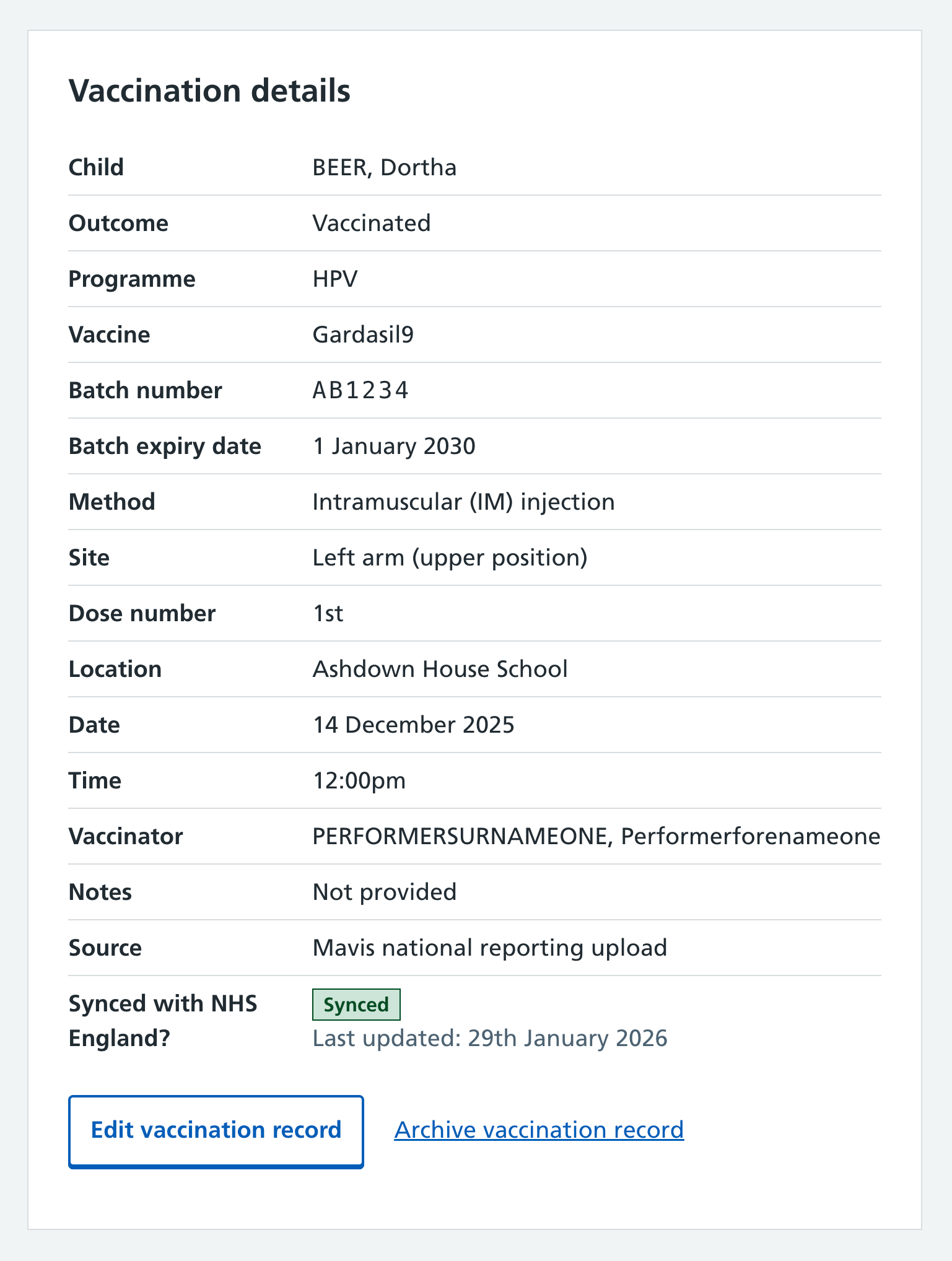
- Select the vaccination you need to archive by clicking the date.
- Select Archive vaccination record at the bottom of the vaccination details card.
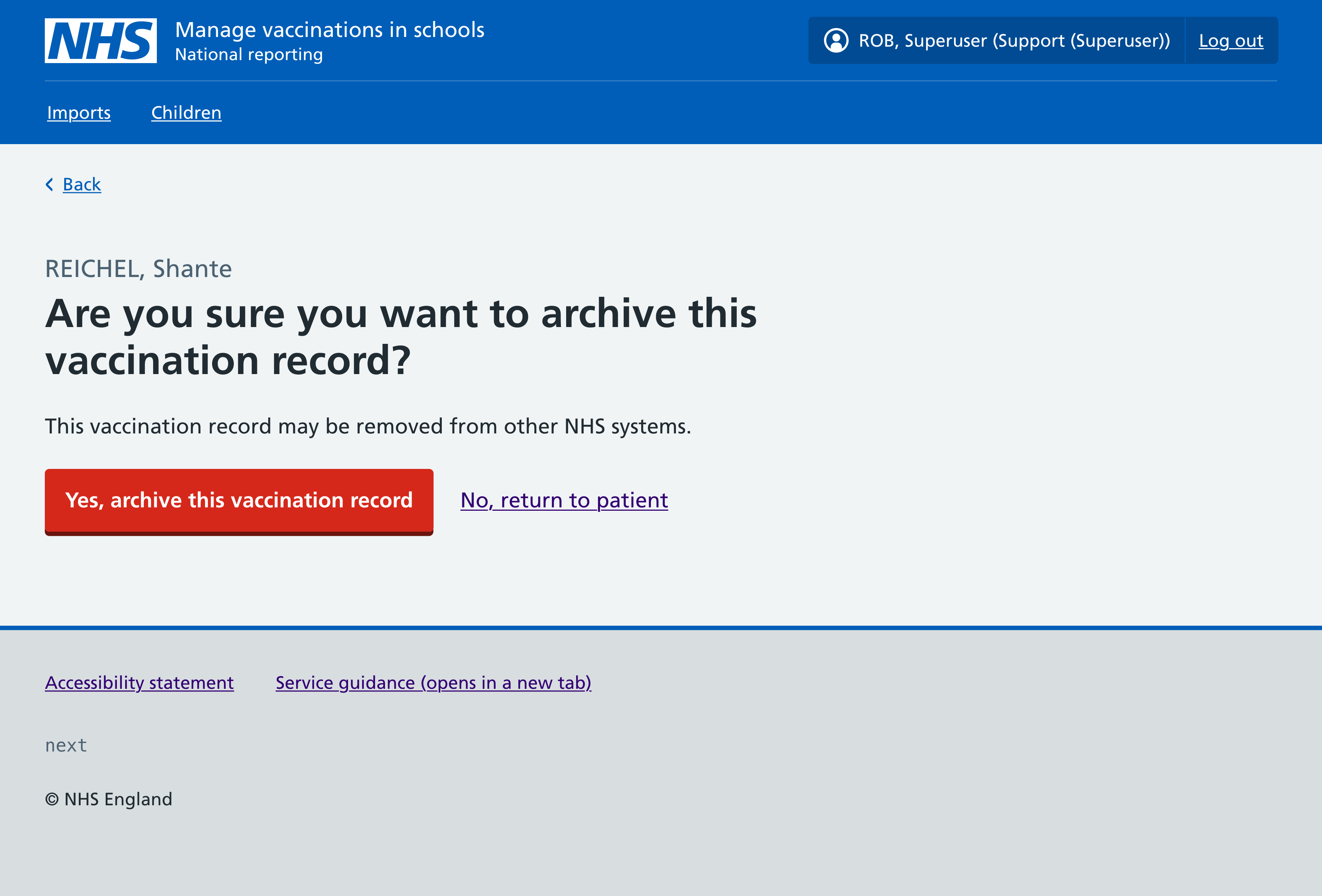
- Confirm by selecting Yes, archive this vaccination record.