Viewing consent and vaccination data
The Reports area of Mavis lets you:
- view consent and vaccination data for children, schools and local authorities in your area
- download vaccination reports to share with CHIS, GP practices or others
To get there, select Reports from the Mavis homepage or the top navigation bar.
Vaccinations dashboard
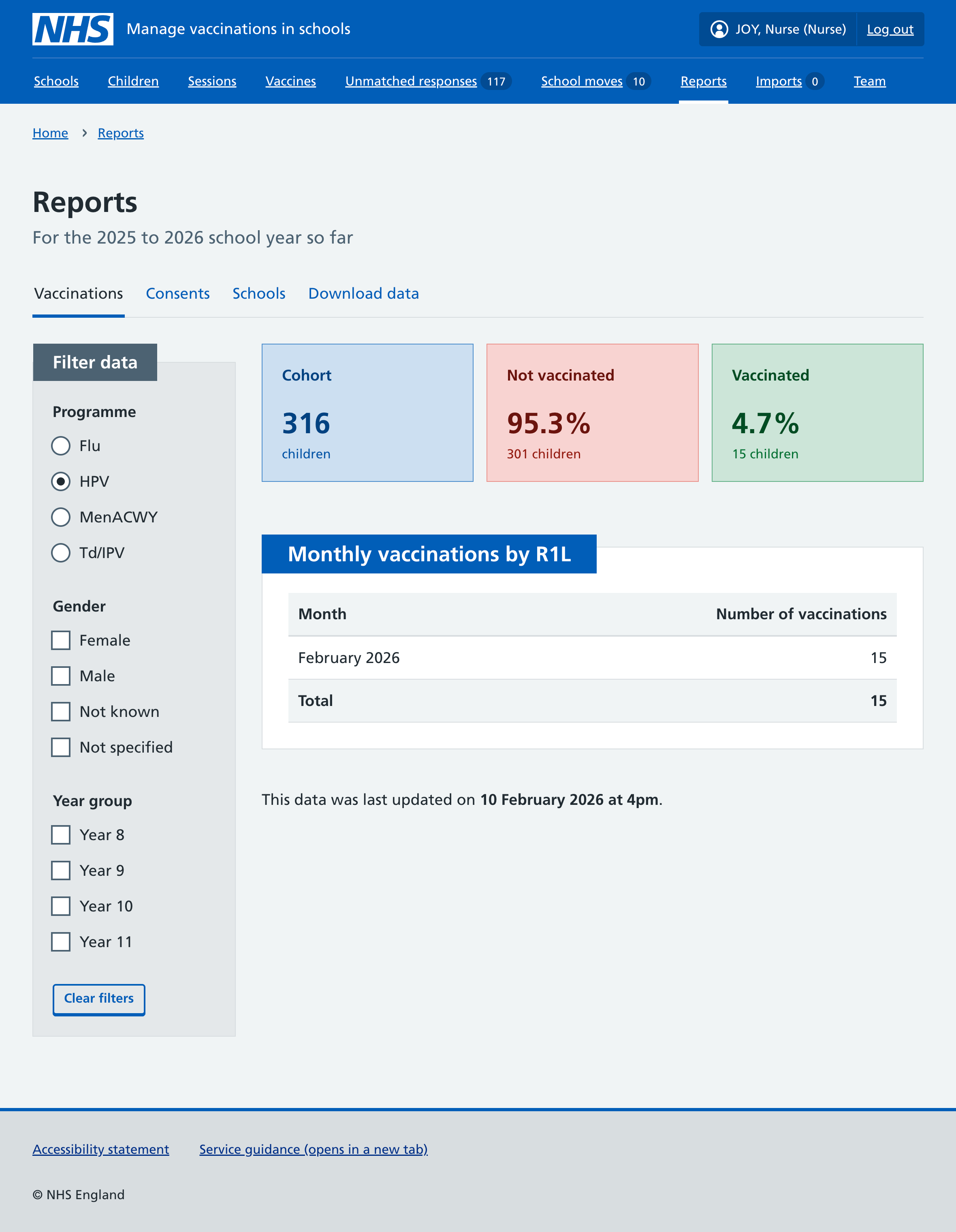
The vaccinations dashboard shows live statistics for the current academic year for all eligible children in your area.
You can see:
- the total number of children in the cohort
- how many children have been vaccinated for each programme (by any provider)
- how many vaccinations your team gave each month
You can use filters to view data for specific programmes, genders and year groups.
We define cohort as all children who are eligible for the vaccine according to their academic year group, whether or not they have already been vaccinated.
Consent dashboard
You can see a breakdown of the consent status of children in your area.
- Select Reports from the Mavis homepage or the top navigation bar.
- Select the Consent tab.
You can see the number of children with:
- no consent recorded
- consent given
In addition, the ‘no consent recorded’ figure is broken down to show the number of children with:
- no consent response (including children not yet invited to a session)
- consent refused
- conflicting consent
You can use filters to view data for specific vaccine programmes, genders and year groups.

View data for schools in your area
Use the Schools tab to view consent and vaccination data for each school in your area.
- Select Reports from the Mavis homepage or the top navigation bar.
- Select the Schools tab.
For each school, you can see the number of children:
- in the cohort
- with no consent response
- with consent given
- vaccinated
You can use filters to view data for specific programmes, genders and year groups.
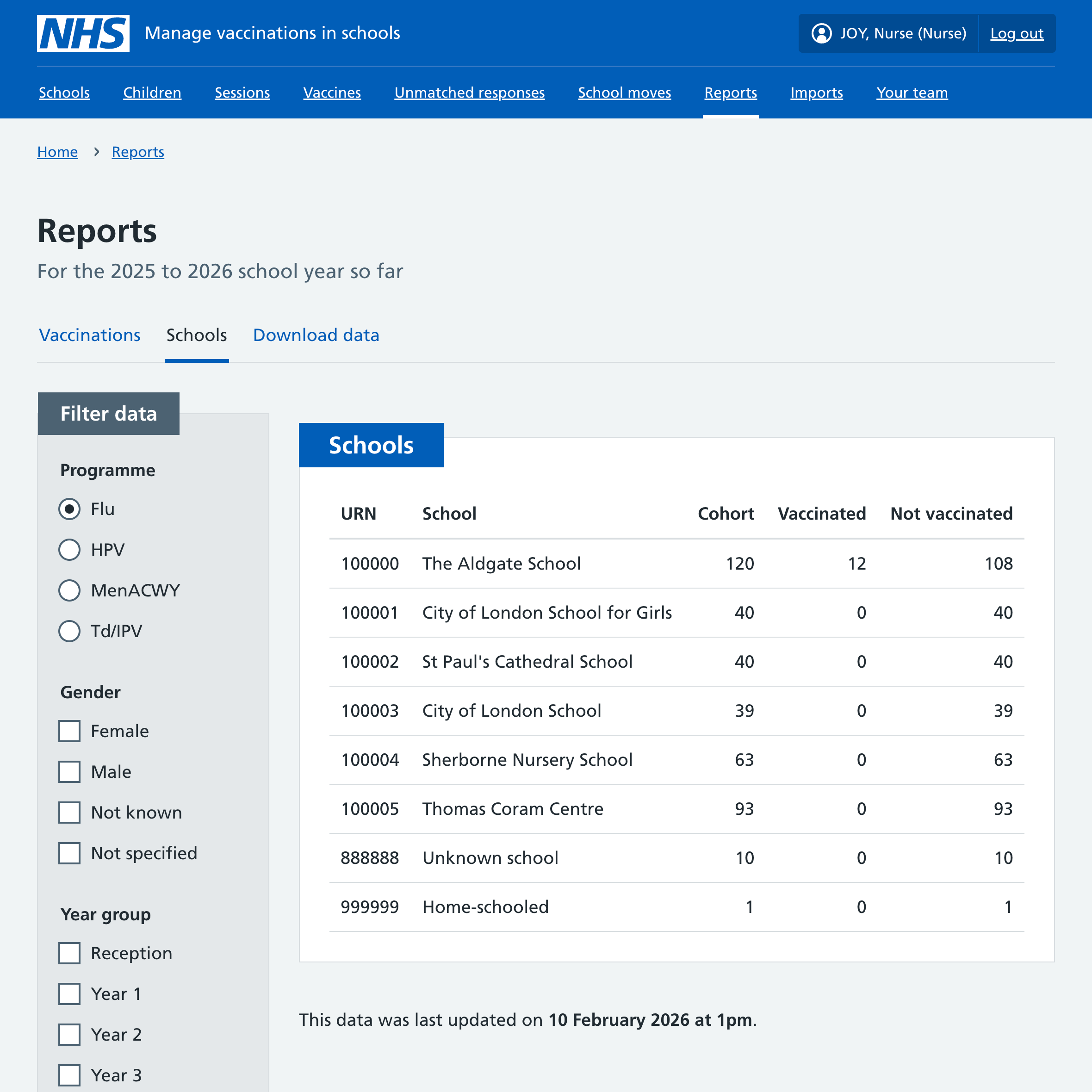
Schools are listed in ascending order by unique reference number (URN).
This data is also available to download as a CSV report (see Downloading vaccination reports).
View data for local authorities in your area
Use the Local authorities tab to view consent and vaccination data for each local authority in your area.
- Select Reports from the Mavis homepage or the top navigation bar.
- Select the Local authorities tab.
For each local authority, you can see the number of children:
- in the cohort
- with no consent response
- with consent given
- vaccinated
You can use filters to view data for specific programmes, genders and year groups.
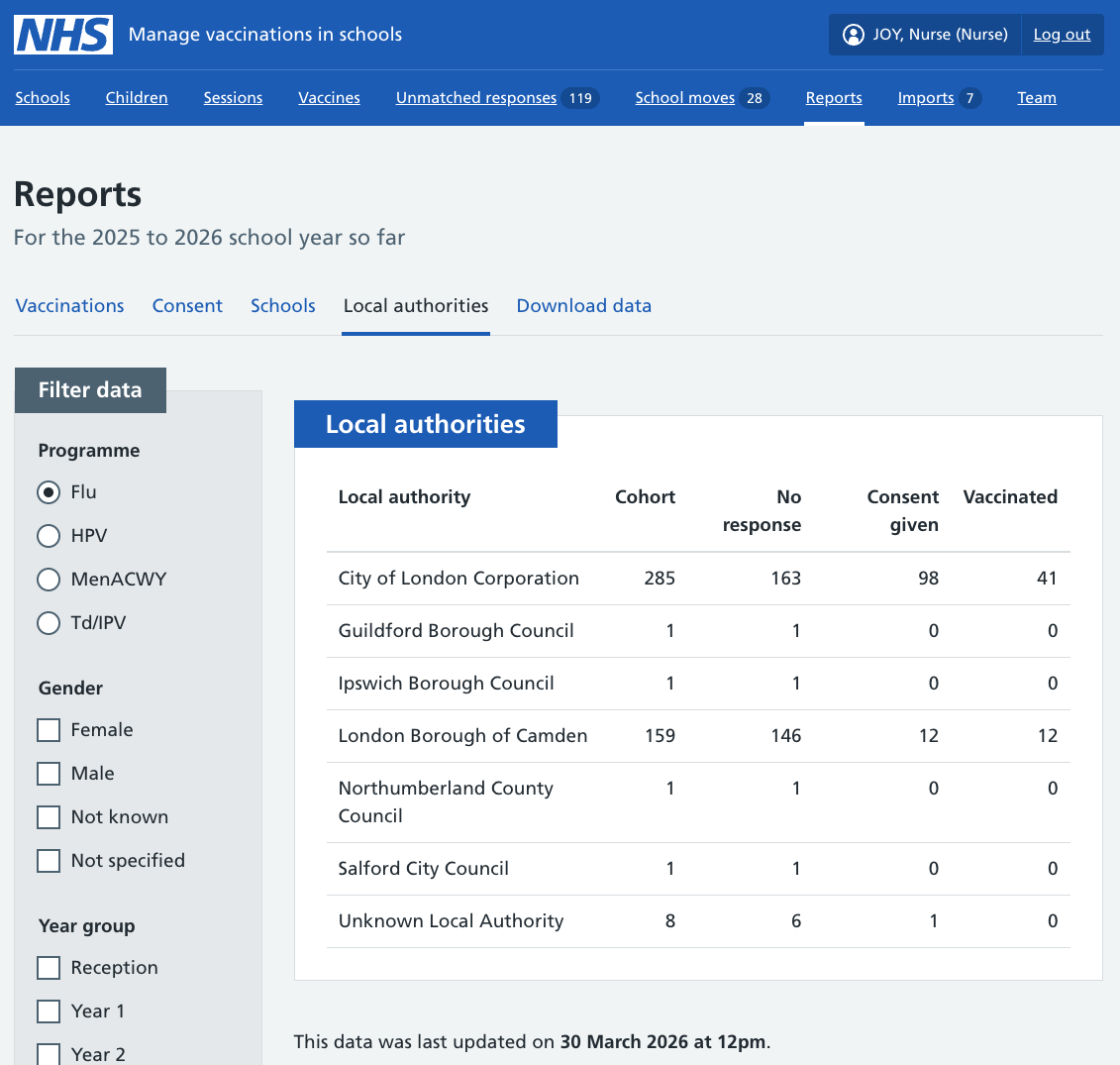
This data is also available to download as a CSV report (see Downloading vaccination reports).