Enabling PSDs in Mavis
If your team uses patient specific directions (PSDs) for flu vaccinations, you can turn on this feature in Mavis to allow healthcare assistants to give the nasal spray vaccine in a session.
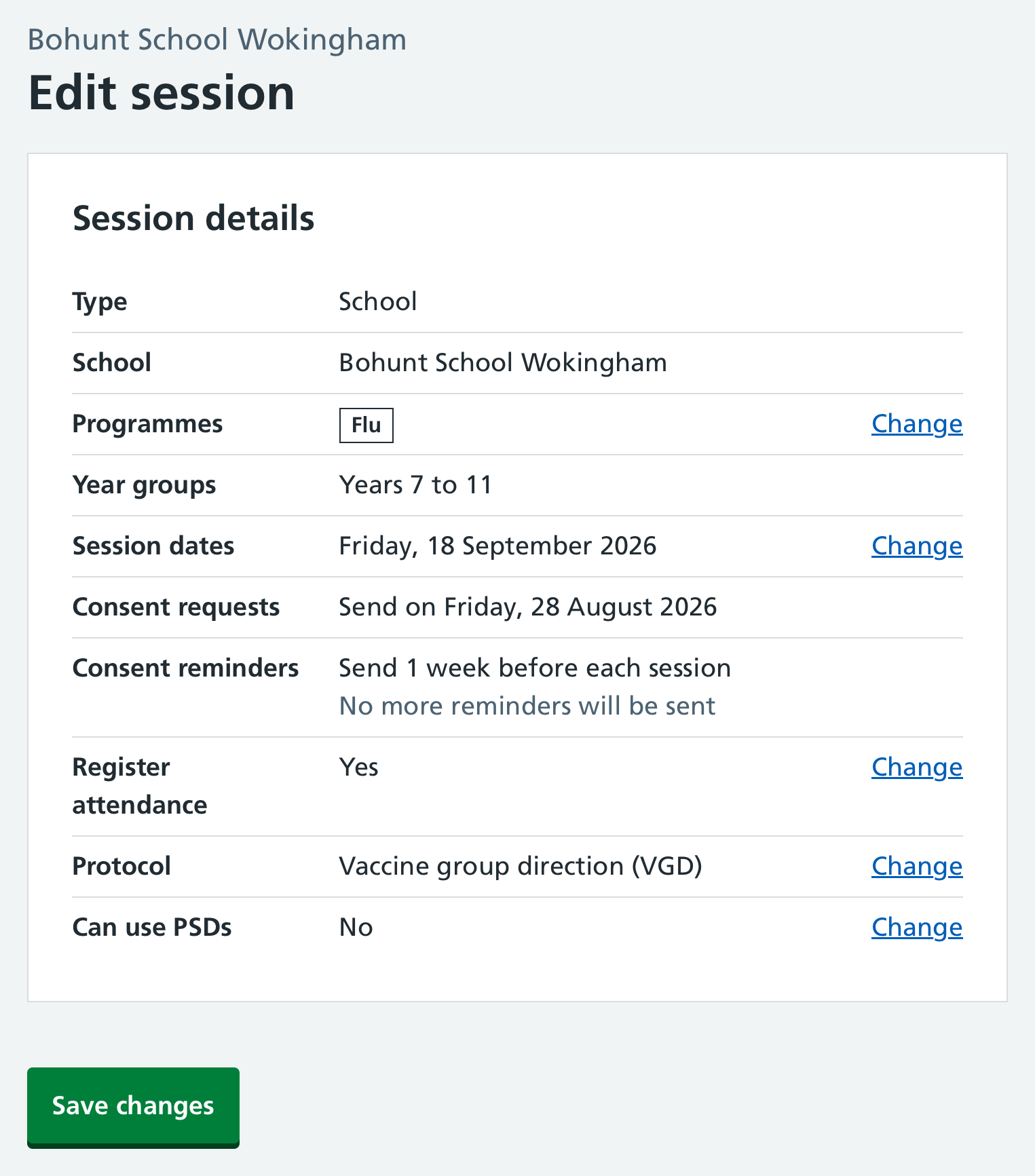
- Go to the relevant session in Mavis and select Edit session.
- Select Change on the Can use PSDs row.
- Select Yes for the PSD question and Continue.
- Select Save changes.
Any user can turn this feature on for a session. Once it’s enabled, users with a prescriber role can add PSDs to named children (see Reviewing and adding PSDs).