Consent for vaccinations in clinics
When a parent completes the clinic booking form, they can consent to the vaccinations they want their child to have.
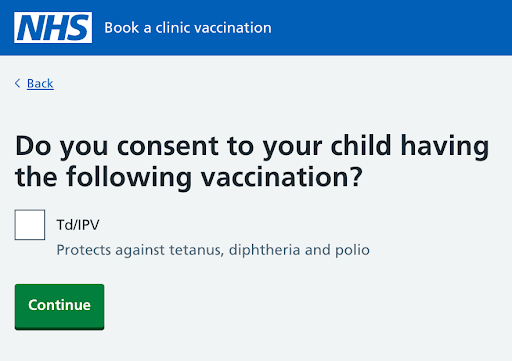
When consenting, they need to confirm they have parental responsibility (or delegated authority if they’re a foster carer) for the child.
When a vaccination has different types (for example, nasal spray or injection) the parent can consent to the type.
Booking an appointment for a parent
If you book an appointment on behalf of a parent and consent is not already in place, you should ask the parent if they consent. When you tick the box next to the relevant vaccination or vaccination type, the child’s status in Mavis changes from Needs consent to Due vaccination.
Later in the booking journey, you will be prompted to either select an existing contact from the child’s record or enter details of a new contact who gave consent.
If a parent asks for additional vaccinations during an appointment
If a parent wants their child to receive additional vaccinations to those that the child was invited for, they will need to give consent for those.
To record consent for additional vaccinations:
- In Children, search for the child and select their record.
- Select the relevant vaccination programme tab.
- Select Add to current clinic session.
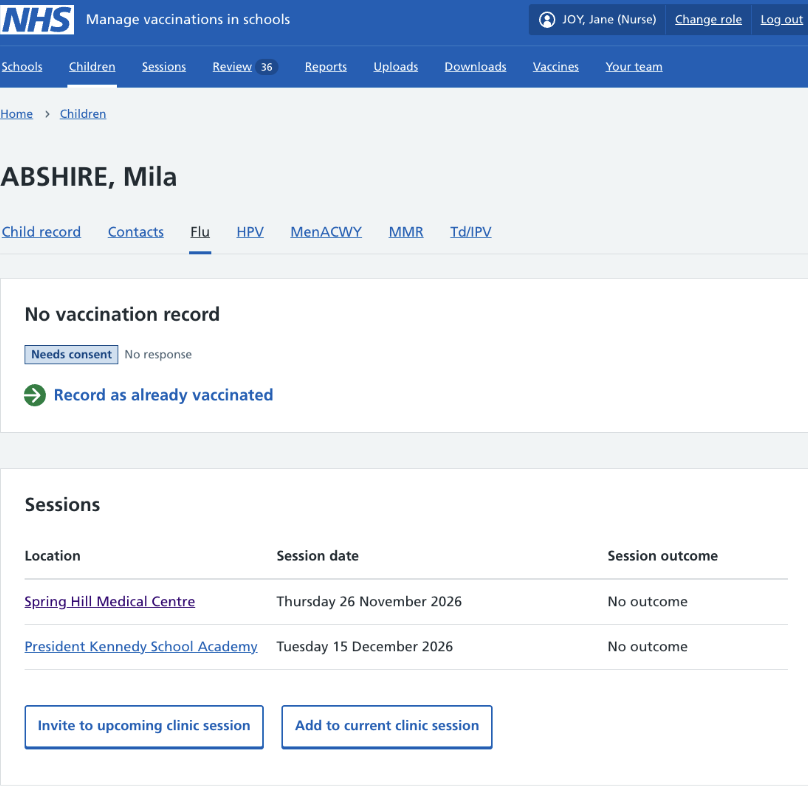
- In the child’s session record, go to the relevant programme, select Record a new consent response. See recording a new consent response for the next steps.
Managing consent responses or contact details
Find out how to:
- update or remove consent manually
- check or manage consent responses, including conflicting consent
- update or remove contact details