Responding to follow-up requests
If a parent refuses consent, they can request follow-up contact from your team (for example, if their reason for refusal was because they didn’t want the child to be vaccinated at school, or because the vaccine contains gelatine).
The child’s consent status changes to Has a refusal - follow-up requested.
To find children who need follow-up:
-
Go to Sessions.
-
Filter for Scheduled sessions.
-
Find the session you’re interested in and select it.
-
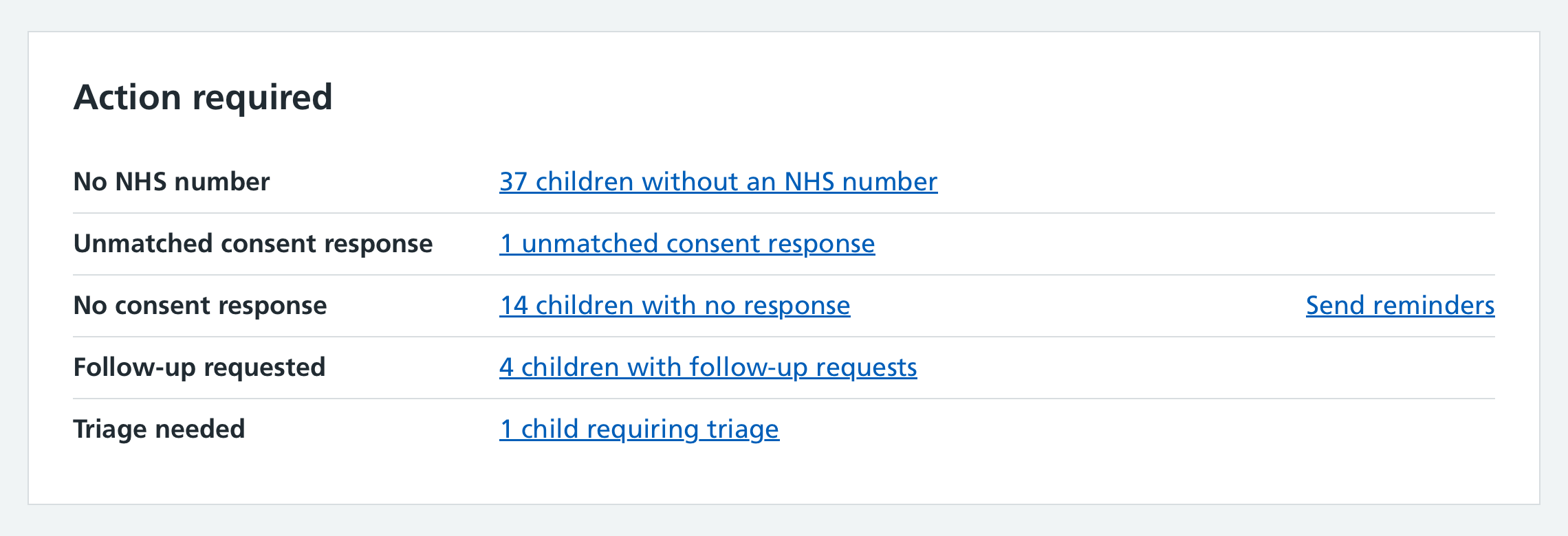
If any children need follow-up, you’ll see this in the Action required section on the session overview
-
Select the link (for example, 4 children with follow-up requests) to see a list of those children.
Contacting parents and recording the outcome
When contacting a parent who requested follow-up:
- Click on the child’s name to open their record.
- Select Follow up at the top of the consent response.
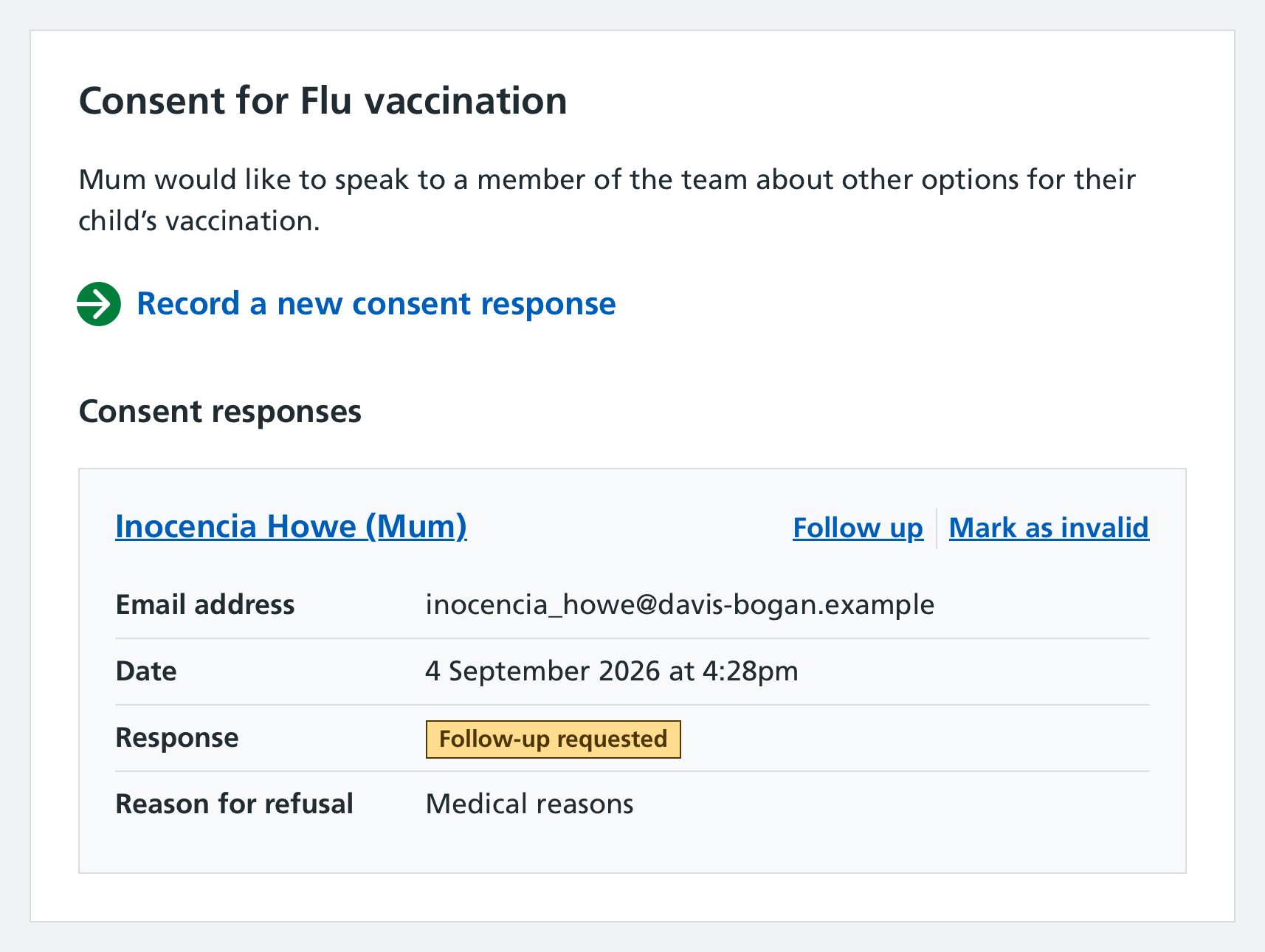
Mavis asks whether the parent’s refusal still stands after your follow-up conversation.
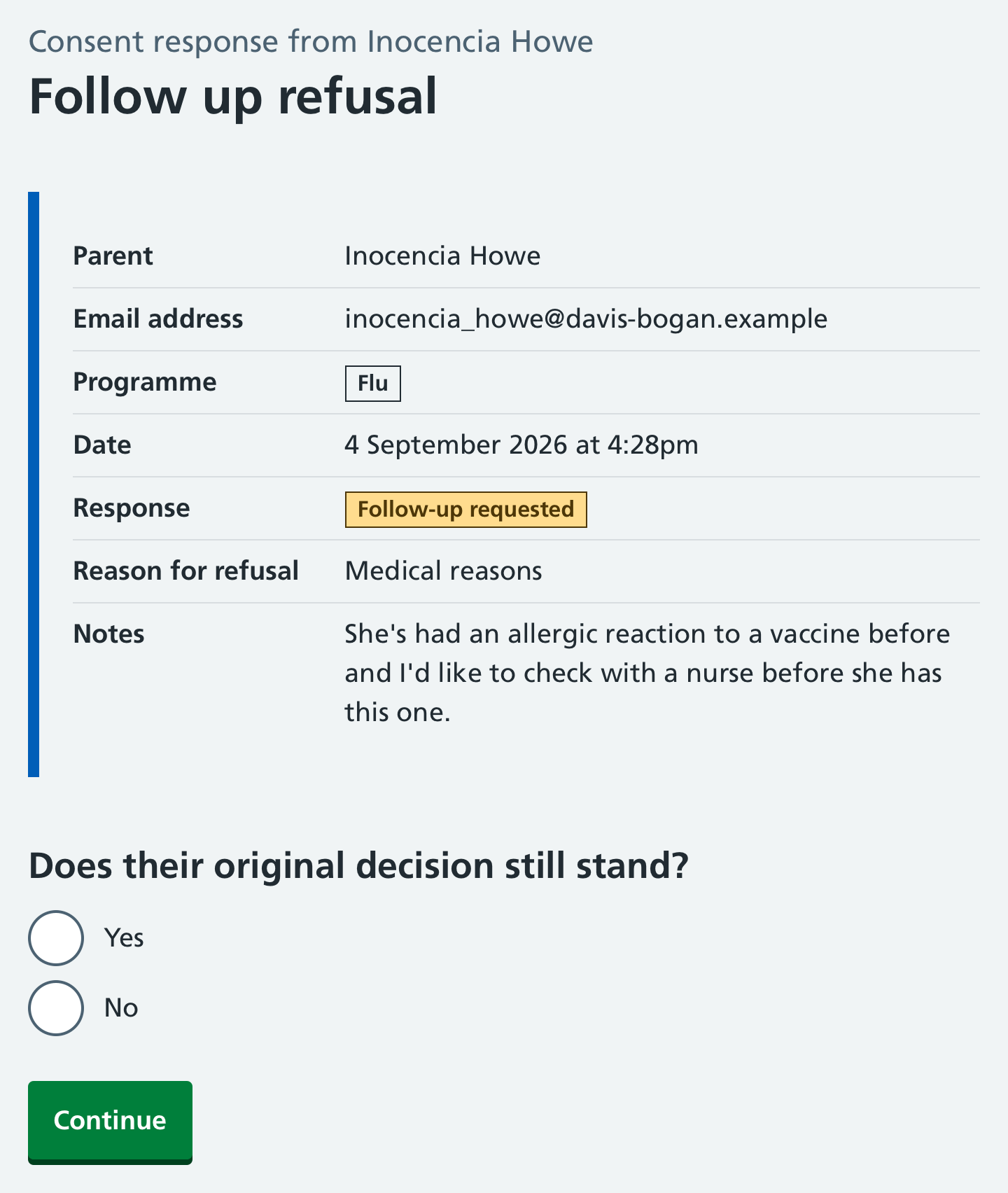
If the parent still refuses the vaccination, select Yes. The child’s consent status changes from ‘Has a refusal - follow-up requested’ to ‘Has a refusal - parent refused’.
If the parent consents to the vaccination after your follow-up discussion, select No and go through the steps to record a new consent response. This will automatically invalidate the original response.