Sharing vaccination records
GPs and NHS England
All vaccinations recorded in Mavis are automatically shared with NHS England, GP practices and CHIS teams that use CarePlus.
You do not need to inform NHS England and GP practices of any vaccinations, except in cases where a child self-consented under Gillick competence and asked for their parents not to be notified (see below).
Once a child’s record has been added to Mavis, any school age vaccinations they get at a GP practice are automatically added to their record in Mavis.
You still need to send all vaccination records to CHIS teams that do not use CarePlus. Tell your CHIS provider that they do not need to send vaccination records to GP practices because Mavis does this automatically.
Check whether a record has been shared
The child’s vaccination record in Mavis will show a Synced label when it was successfully synced with NHS England systems.
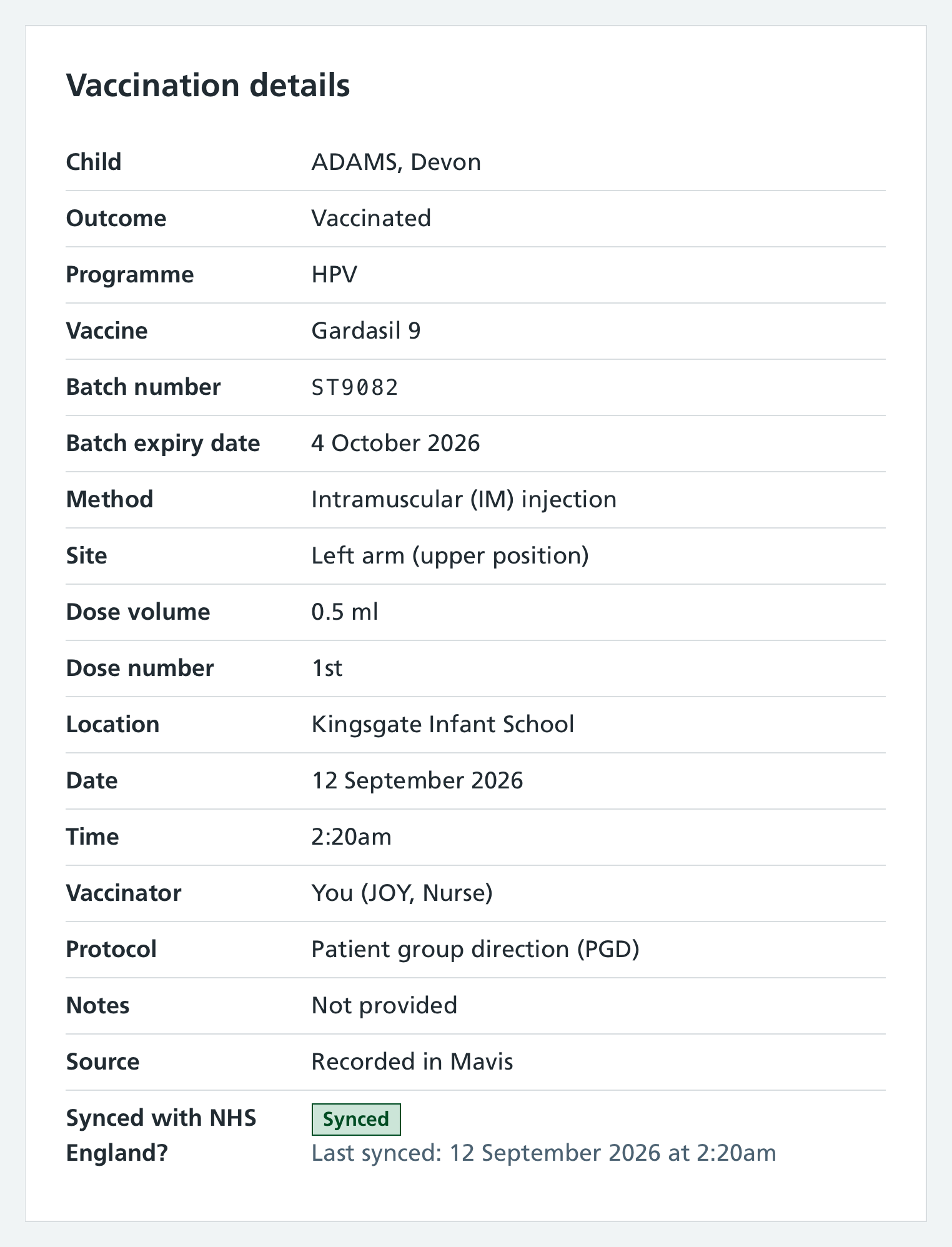
The record will show a Sync pending label if it’s in progress but not yet synced.
If a record cannot be synced, Mavis explains why and in some cases will tell you what action to take.
Invalid or missing NHS numbers
Automatic sharing only works if the vaccination record includes a valid NHS number.
If the NHS number is invalid, the record:
- is not sent to NHS England or the child’s GP practice
- is flagged to superusers in important notices (see Checking important notices)
If the NHS number is missing, the record:
- is sent to NHS England
- cannot be sent to the child’s GP practice
- is not flagged in important notices
If a child self-consents under Gillick competence
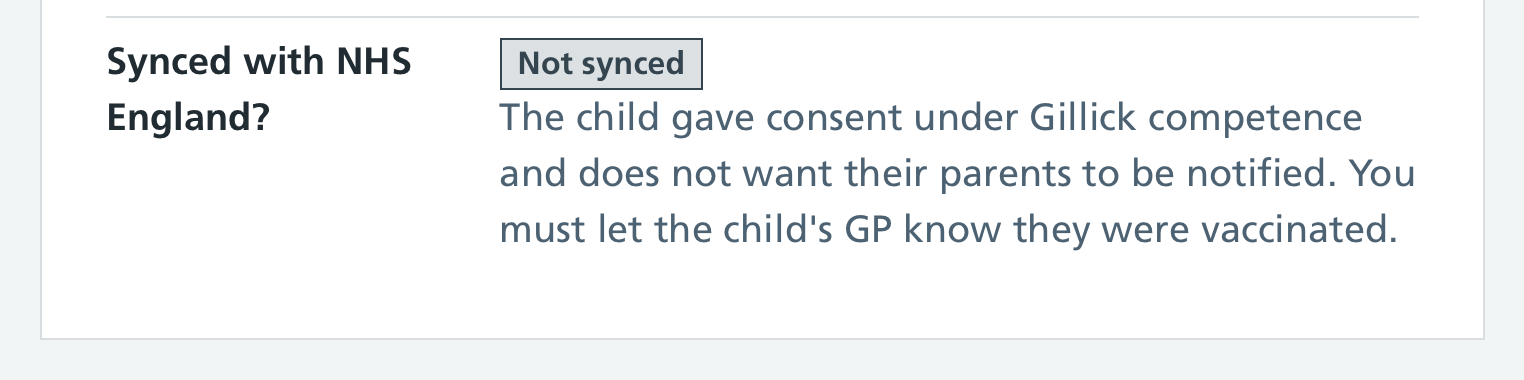
If a child self-consents under Gillick competence and asks for their parents not to be informed, the record will not be synced and you must let the child’s GP know they were vaccinated. These records will be flagged to Superusers as an important notice - see Checking important notices.
Sharing records with CHIS
Automatic CarePlus reporting is being rolled out across all teams that use CarePlus in summer and autumn 2026. If this is not yet enabled for your team, you should continue to share vaccination records for all programmes with CHIS manually.
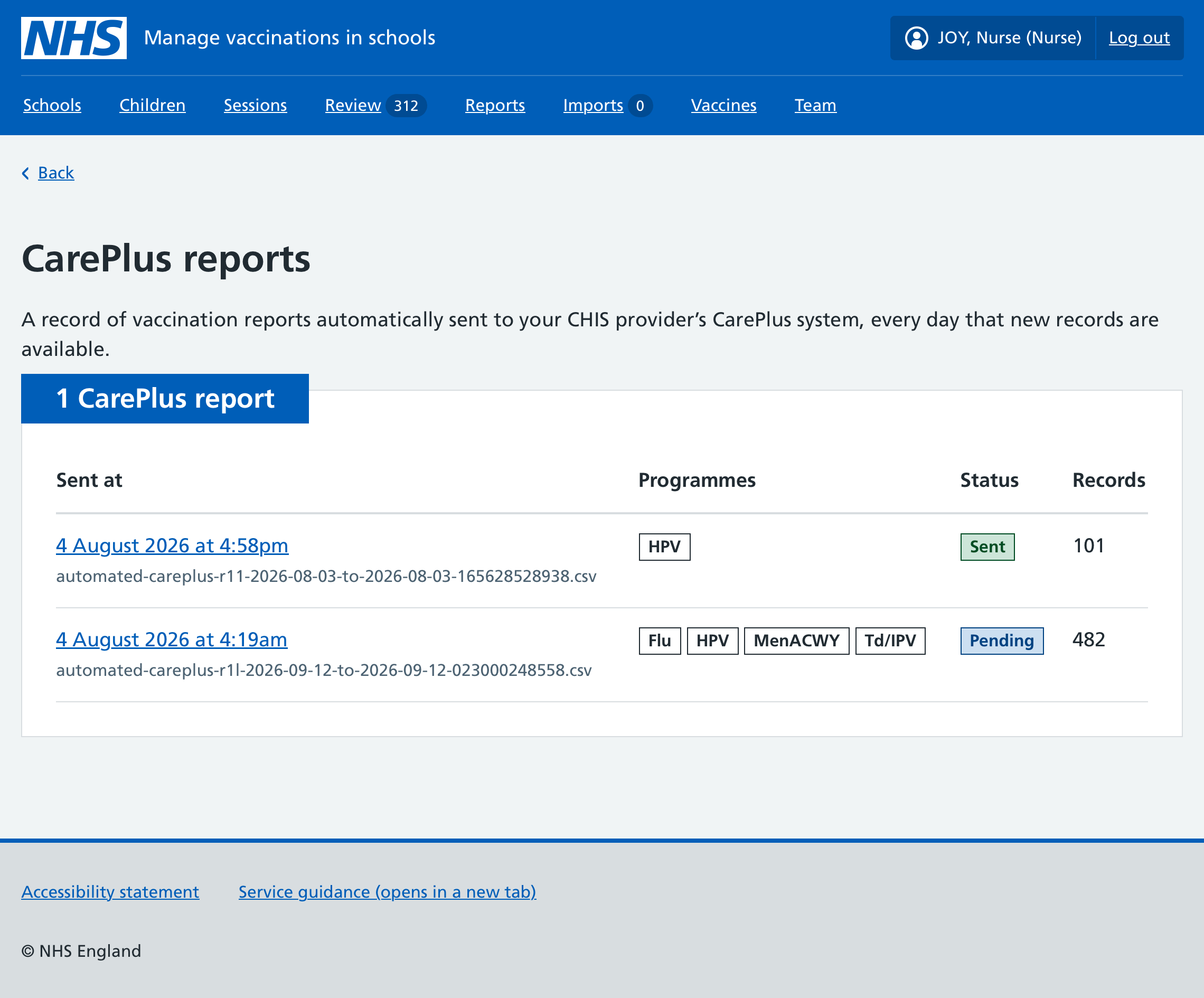
If your CHIS team uses CarePlus, Mavis automatically sends your vaccination records to their CarePlus system every day that new vaccination records are available.
To enable this automated flow, we will gather information from you during onboarding, and from System C directly.
To view the records sent to CarePlus:
- Go to Reports.
- Select the CarePlus reports link in the Reports navigation.
Only users with access will see the CarePlus reports link.
- From the list of CarePlus reports you can view any report by selecting the date.
If your CHIS team does not use CarePlus, you must share vaccination records for all programmes with CHIS manually.
To do this, download child-level vaccination reports as CSV files from the Reports area of Mavis and send them to your CHIS provider. For more information, read Downloading vaccination reports.