Checking important notices
Only superusers can view important notices.
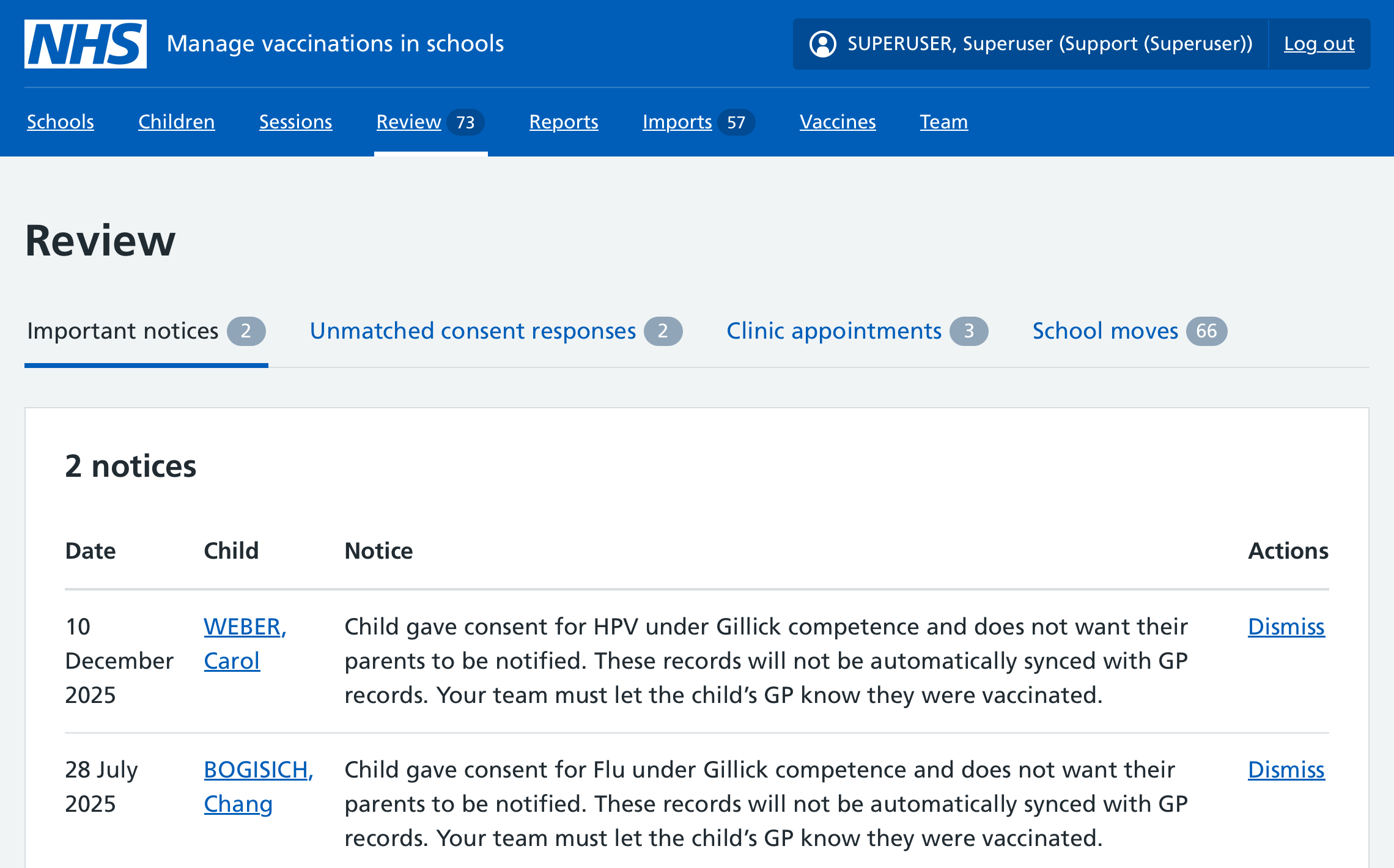
Whenever you log in to Mavis, you should go to Review and then Important notices to see if there’s anything you need to be aware of. These notices are also flagged on the Mavis dashboard.
Types of important notice
There are 4 main types of important notice.
Invalid NHS numbers
If a child’s record has an invalid NHS number, an important notice will appear in Mavis.
Mavis automatically searches the Personal Demographics Service (PDS) for the correct NHS number. If it finds one, it updates the record automatically and removes the important notice.
If Mavis cannot find the correct NHS number, the important notice will remain. This is usually because the child was previously given more than one NHS number by mistake, or because the child has been adopted.
Administrative error
If a child is mistakenly given more than one NHS number, one of the numbers is made invalid.
If the important notice remains, you should try to find the correct NHS number. For example, you can contact the child’s GP practice or the child’s parent or guardian.
Adopted children
When a child is adopted, they are given a new NHS number and their previous NHS number becomes invalid.
You do not need to do anything. When the child’s new NHS number is available, a new record will appear in Mavis and the important notice will disappear.
Child vaccinated under Gillick competence
If a child vaccinated under Gillick competence has said not to notify their parents, this record has not been synced automatically with their GP. You need to inform the GP.
Child is deceased
Mavis will archive the child record automatically. Then you can dismiss the important notice.
Records marked sensitive
Records flagged as sensitive show reduced contact information, for example:
- if a child is in witness protection
- if there’s an ongoing police investigation
- if the parents have said they do not wish the child’s details to be shared
If you see that a record has been flagged as sensitive, you need to ask the child’s school to send a consent form to a parent or guardian.
You can use the email template Ask schools to send consent form to parents of children flagged sensitive. Adjust it with the relevant details highlighted in ((double brackets)) and send it to the school to forward to the parent or guardian.
If they consent, the child will be included in the relevant school session in Mavis but no contact details will be shown on the child record.
Dismissing important notices
Once you have seen and, if necessary, acted on an important notice, you can dismiss it.
You can also dismiss an important notice after a user has archived the child record.
Dismissing an important notice removes it from the important notices list for all superusers in your team. It will still be visible on the child record.