Vaccinating in community clinics
Most teams currently handle clinic bookings outside Mavis. However, you can use Mavis to:
- invite parents to book a clinic appointment through your local booking service
- record vaccinations given in clinics
Inviting children who belong to a school
Some children may have missed being vaccinated at a school session, for example if they were ill or on holiday at the time of the session.
To send clinic invitations to children who belong to a school, but were not vaccinated there:
- Go to the sessions for schools that you are not going to return to in this vaccination programme.
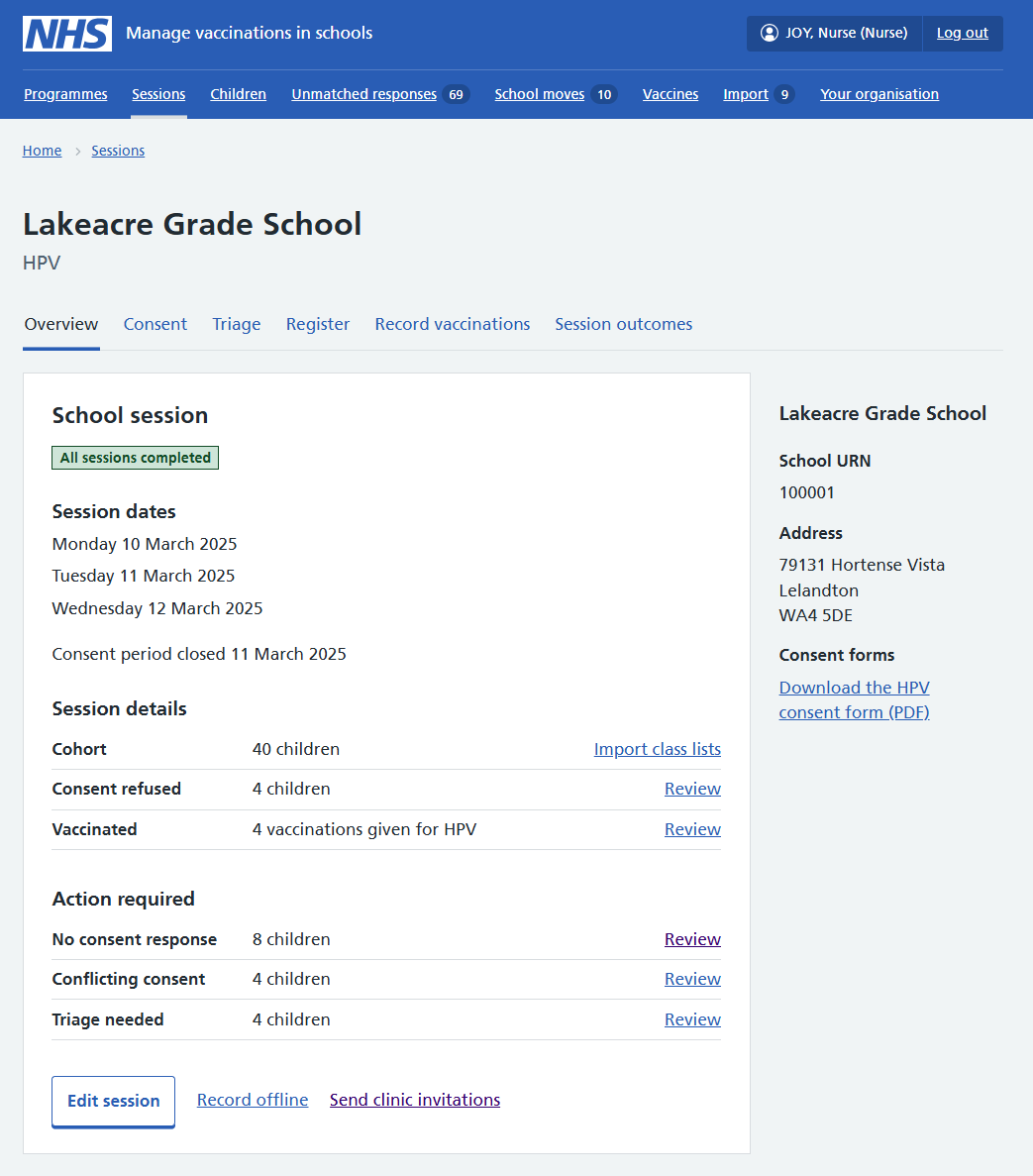
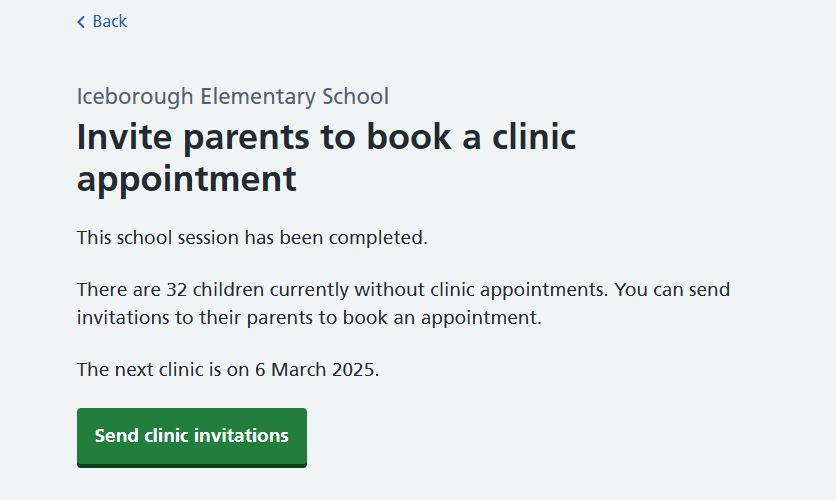
- In each school session, go to the Send clinic invitations link (at the bottom of the Overview tab). This will show you a summary of how many invitations will be sent out.
- Select Send clinic invitations. Invitations are sent immediately.
Note that there are no automatic reminders for clinic invitations.
Inviting individual children
You can invite individual children to a clinic directly from their record in Mavis. If an invitation has already been sent, you can send a reminder instead.
- From the dashboard, go to Children.
- Find the child you want to invite and open their record.
- Select the vaccination programme, either from the tabs at the top or the list in the Vaccination programmes area.
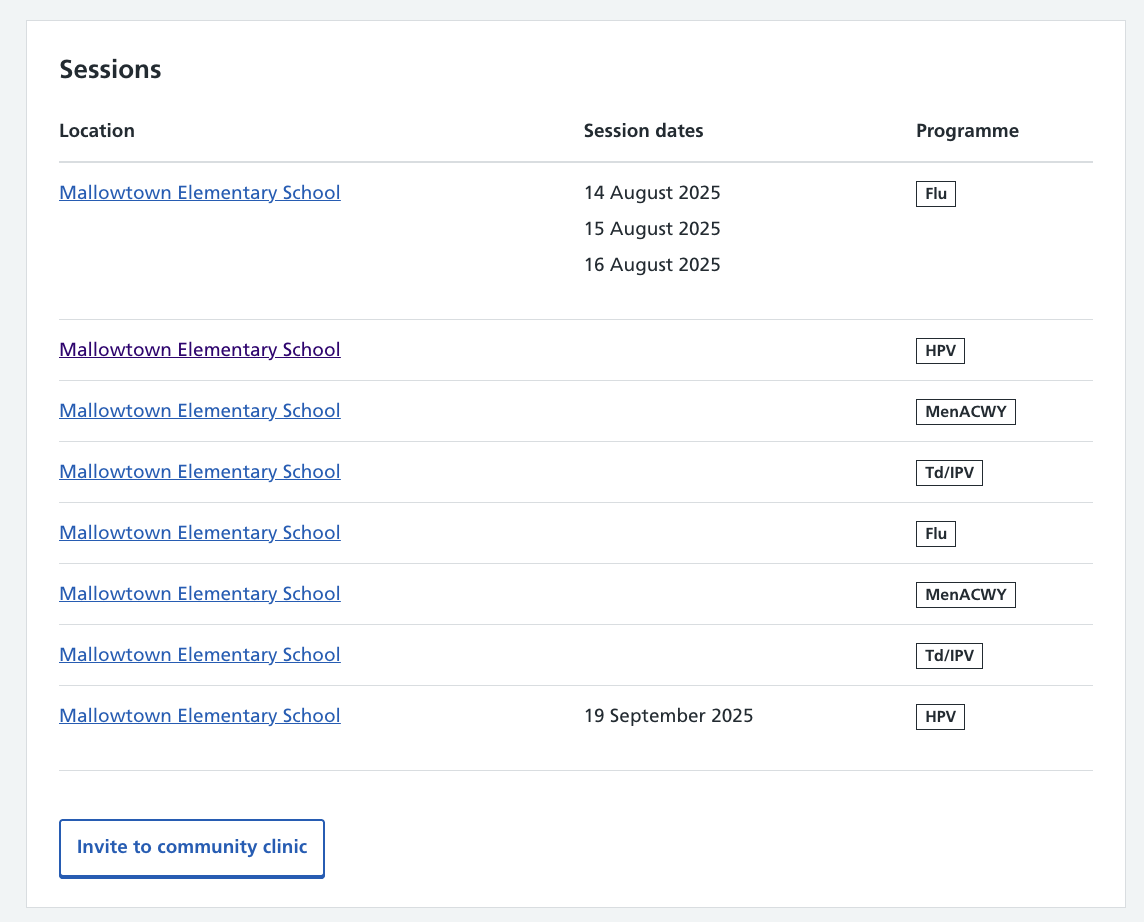
- Select Invite to community clinic at the bottom of the Sessions area. The invitation is sent immediately.
The Invite to community clinic button only shows if the child is due the vaccination.
If the child has already been invited, the button will show as Send clinic invitation reminder.
If the child is home-educated or their school is unknown
Mavis no longer sends automatic clinic invitations to children who are home-educated or have no known school.
You can manually send clinic invitations in bulk to the parents of children who:
- are home-educated or have no known school
- are due a vaccination for the programme you select
- have not yet been invited to a clinic
- From the dashboard, go to Schools.
- Search for then select Home-educated or Unknown school, as needed.
- Select Send clinic invitations in the top left of the screen.
- Select the programmes you want to send invitations for.
- Select Send clinic invitations. Invitations are sent immediately.
You can see which children have been invited to a clinic by using the Invited to clinic filter in the Schools view.
Getting consent to vaccinate
You do not need to get consent in advance for vaccinations in clinics. If no consent is in place, Mavis will prompt you to record a new consent response before you record the vaccination.
If you choose to seek consent in advance, you can send a consent request through Mavis to any child who has already been sent a clinic invitation.
- From the dashboard, go to Children.
- Find the child you want to request consent for and open their record.
- Select Send consent request at the bottom of the Sessions area.
This sends a consent request email to the parent or guardian.
Note that you cannot record a new consent response given over the phone in advance of the clinic session - only on the day of the vaccination.
Recording vaccinations in clinics
You can record vaccinations given in clinics directly from a child’s record in Mavis.
- Go to the Children tab.
- Find the child you are about to vaccinate and open their record.
- Select the vaccination programme.
- Select Record a vaccination in clinic near the top of the screen (this button only appears if the child is due the vaccination).
- Record a new consent response for the child, if needed.
- Review the health questions and triage outcome if necessary.
- Record the vaccination, specifying the clinic location when prompted.
When you record a vaccination for a child outside a school session, Mavis automatically creates a clinic session if there is not already a clinic session with today’s date.